Skip to content
Droid ToolsDroid Tools
Home

Explore

  • News
    415
  • OS
    258
  • Apps
    226
  • Phones
    177
  • Guides
    174
  • Wearables
    98
  • Reviews
    15

Latest Articles

  • OnePlus 15 begins receiving stable Color OS 17 update ahead of schedule
    OS

    OnePlus 15 begins receiving stable Color OS 17 update ahead of schedule

  • Samsung Rolls Out Galaxy A37 One UI 9 Update in the US
    OS

    Samsung Rolls Out Galaxy A37 One UI 9 Update in the US

  • Honor AI Smart Grip expands to the Magic 6 series for one-handed call handling
    News

    Honor AI Smart Grip expands to the Magic 6 series for one-handed call handling

  • Google Messages Enhanced Protection rolls out to combat conversational scams
    Apps

    Google Messages Enhanced Protection rolls out to combat conversational scams

  • How Pixel Watch Find Hub Settings Helped Recover a Lost Device at Airport Security
    Guides

    How Pixel Watch Find Hub Settings Helped Recover a Lost Device at Airport Security

Live Offers

Deal Alerts

Browse reported discounts on phones, wearables, and accessories. Check the retailer for the current price and availability.

View All Deals

Latest Deal Alerts

  • Sony WF-1000XM6 earbuds drop to $238 in limited B&H Photo Video discount
    🔥 Offer

    Sony WF-1000XM6 earbuds drop to $238 in limited B&H Photo Video discount

  • Walmart cuts iVANKY ultra-slim magnetic power bank to $15 in 50% discount
    🔥 Offer

    Walmart cuts iVANKY ultra-slim magnetic power bank to $15 in 50% discount

  • 🔥 Offer

    Amazon offers $749 Pixel 10 Pro XL deal as memory prices climb

  • Moto Tag 2 price increases to $29.99 as introductory discount ends
    🔥 Offer

    Moto Tag 2 price increases to $29.99 as introductory discount ends

  • Samsung Galaxy S26 discounts continue on Amazon after October Prime Day
    🔥 Offer

    Samsung Galaxy S26 discounts continue on Amazon after October Prime Day

About UsContact
Editorial PolicyReview Policy
Privacy PolicyCookie PolicyTerms & Conditions
⌘K
Search
Official Channels10 Profiles
FacebookX (Twitter)InstagramThreadsLinkedInBlueskyTikTokTelegramMastodonRSS Feed
Droid Tools

Droid Tools covers the latest Android news, device reviews, app updates, and OS guides. Stay informed with hands-on coverage from mobile tech experts.

Explore

  • News
  • Phones
  • Apps
  • Android OS
  • Wearables
  • Guides
  • Reviews
  • Deals

Legal & Info

  • About Us
  • Contact
  • Editorial Policy
  • Review Policy
  • Privacy Policy
  • Terms & Conditions
  • Cookie Policy
  • Affiliate Disclosure
  • Disclaimer
  • HTML Sitemap
  • XML Sitemap
© 2026 Droid Tools. All rights reserved.
Home/OS/Custom ROMs for Samsung Galaxy S8, S8+, and Note 8
OS

Custom ROMs for Samsung Galaxy S8, S8+, and Note 8

Samsung offers 2 years of software support for their smartphones, which includes two big Android OS updates. The Samsung Galaxy S8, S8 Plus, and Note 8 have been on the market for well over two years and will never see Android 10. The same is true for the Galaxy S9 and Note 9 series, which ...
Robert Haba• Founder · Editor-in-Chief
May 4, 2021•Updated•6 min read
samsung galaxy
0%
Share on XFacebookBluesky
Follow on Google
Trust this source on GoogleAlways see our reviews and tech guides first in search results
Add trusted source

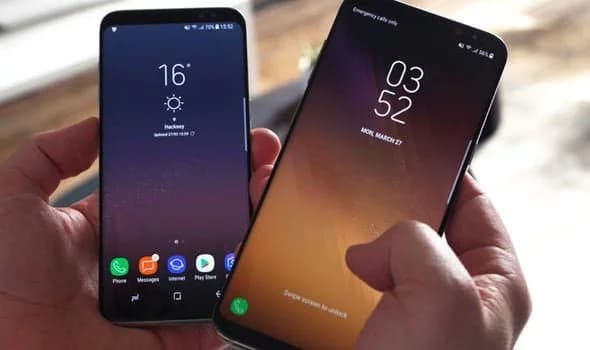
Samsung offers 2 years of software support for their smartphones, which includes two big Android OS updates. The Samsung Galaxy S8, S8 Plus, and Note 8 have been on the market for well over two years and will never see Android 10. The same is true for the Galaxy S9 and Note 9 series, which have received the latest Android 10 update. Although the devices will continue to receive security patch updates for another year, this is unjust to the most successful Samsung flagship to date. So, here are some of the best custom ROMs based on Android 10 for the Samsung Galaxy S8, S8+, and Note 8.

We’ve compiled a list of the most recent and reliable custom ROMs for the Galaxy S8 and Note 8 series right now. Lineage OS 17.1 and other common ROMs such as Havoc OS, Pixel Experience, and Corvus OS 10 have just been made official with Android 10. However, because of the design of Samsung Galaxy phones, official support for custom ROMs is difficult to come by. As a result, some custom ROMs based on Android 10 for the Samsung Galaxy S8, S8+, and Note 8 are still unofficial beta ports.

Furthermore, the majority of custom ROMs are only for Exynos models. This is due to the fact that the Snapdragon Galaxy S8, S8+, and Note 8 variants’ bootloaders cannot be unlocked. So you cant install TWRP recovery, and hence, can’t flash a custom ROM.

1. Havoc OS

Havoc OS is currently one of the most stable Android 10 custom ROMs for Samsung Galaxy smartphones. In comparison to the other choices, users of the Galaxy S8 and Note 8 series strongly suggest the Havoc OS custom ROM. Most notably, it has recently been updated to Havoc OS 3.7, which means that it is based on Android 10 and incorporates some Android 11 features such as Material design 2.0, Dark Theme Support for AOSP apps, Android R Style screen record dialog, Rounded UI, Face Unlock support, built-in Gapps, Font Customisation, Pixel Lockscreen weather, and many more.

Moreover, it also supports Face Unlock, HD/VoLTE toggle, 4G/LTE Icon toggle, 90 Hz refresh rate toggle, Themes styles and wallpapers support from the Pixel 4, and much more. Checkout the images from below and also see the complete screenshot repository from below.

  • Complete Google Photos gallery of Havoc OS for Samsung Galaxy S8 and Note 8

Download Havoc OS for Galaxy S8, S8+, and Note 8

  • Havoc OS for Samsung Galaxy S8 (dreamlte)
  • Havoc OS for Samsung Galaxy S8 Plus (dream2lte)
  • Havoc OS for Samsung Note 8 (greatlte)

Source and Support

Here is a list of all the sources you can get support from for the Havoc OS for Samsung Galaxy S8, S8 Plus, and Note 8.

You May Also Like
Recommended
1

Samsung confirms Galaxy devices set for One UI 9 update

Samsung confirms Galaxy devices set for One UI 9 update
2

OnePlus 15 begins receiving stable Color OS 17 update ahead of schedule

OnePlus 15 begins receiving stable Color OS 17 update ahead of schedule
3

Samsung Rolls Out Galaxy A37 One UI 9 Update in the US

Samsung Rolls Out Galaxy A37 One UI 9 Update in the US
  • Telegram Support Group (Havoc)
  • Telegram Announcements Channel (Havoc)
  • Discord Server (Havoc)

2. Pixel Experience Plus

When it comes to having stock Google experience on your Android phone, Pixel Experience is everyone’s choice. It includes all of the Pixel 4’s functionality, the most recent Google UI, the most recent Google Assistant app, Digital Wellbeing, and support for the most recent Google products and services. As a result, you can receive the most recent Pixel Launcher, themes and style apps, wallpapers app, ringtones, icons, and everything else that is currently available on the Google Pixel 4 (XL) with Android 10.

Wifi, RIL, Mobile data, GPS, Camera, Flashlight, Camcorder, Bluetooth, Fingerprint reader, NFC, Lights, Sound / vibration all work with Pixel Experience. However, some features, such as Volte, cast, and, according to some sources, even the face unlock feature, may not work.

Pixel Experience Plus is an AOSP based ROM, included with Google apps and all the Google Pixel goodies like launcher, wallpapers, icons, fonts, bootanimation.

pixel experience plus Samsung rom

Download Pixel Experience for Galaxy S8, S8+, and Note 8

  • Pixel Experience for Samsung Galaxy S8 (dreamlte) (mega link)
  • Pixel Experience for Samsung Galaxy S8 Plus (dream2lte) (mega link)
  • Pixel Experience for Samsung Note 8 (greatlte) (mega link)

Source and Support

Here is a list of all the sources you can get support for the Pixel Experience on Samsung Galaxy S8, S8 Plus, and Note 8.

  • Telegram channel (for s8/s8+/n8)
  • PE blog

3. Corvus OS

Corvus OS is getting very popular lately among custom ROM flashers. The developers have also been very active in the development and supporting a large number of Android devices. Many have recommended Corvus OS over the past months as it is quite stable for its initial release. Covrus OS also brings Android 10 to the plate for Galaxy S8 series and Note 8.

Corvus OS is inspired by Dirty Unicorn ROM and has many of its features. The ROM is full of customization options and has a dedicated section for each section including Themes, Notifications, Display, Lock Screen, and more. Stability is great with this one. It also gives stock AOSP experience making it light weight and fast. The ROM also includes some Google features like latest Pixel Launcher, Accent picker, Theme backup, Theme styles, wallpapers app, ringtones, icons, and more.

Screenshots

Gallery photo 1
Gallery photo 2
Gallery photo 3
Gallery photo 4
Gallery photo 5
  • Complete gallery of Corvus OS for Samsung Galaxy S8 and Note 8

Download Corvus OS for Galaxy S8, S8+, and Note 8

  • Corvus OS S8 v7.0 Vanilla (dreamlte)
  • Corvus OS S8+ v7.0 Vanilla (dream2lte)
  • Corvus OS N8 v7.0 Vanilla (greatlte)
  • Full downloads repository for Corvus OS

Source and Support

Here is a list of all the sources you can get support for the Corvus OS for Samsung Galaxy S8, S8 Plus, and Note 8.

  • Update Channel Telegram 
  • Chat Group Telegram channel

4. Lineage OS 17.1

lineage os custom rom for Samsung galaxy S8

Lineage OS is one of the most popular custom ROMS out there. It supports a wide range of Android devices. Right from the obsolete phones from years ago to the most recent flagships. Lineage OS 17.1 is based on Android 10 and now supports Samsung Galaxy S8, S8+, and Note 8 unofficially.

Download Lineage OS 17.1 for Galaxy S8, S8+, and Note 8

  • Lineage OS 17.1 for Galaxy S8 dreamlte (s8) (mega link)
  • Lineage OS 17.1 for Galaxy S8+ dream2lte (s8+) (mega link)
  • Lineage OS 17.1 for Galaxy Note 8 greatlte (note 8) (mega link)

Source and Support

Here is a list of all the sources you can get support for the Lineage OS 17.1 OS on Samsung Galaxy S8, S8 Plus, and Note 8.

  • Support Channel Telegram 

How to update Samsung Galaxy S8, S8+, and Note 8 to Android 10?

  • Download the custom ROM from above.
  • Transfer the ROM file it to you phone storage.
  • Enable OEM Unlock and USB debugging.
  • Download latest TWRP recovery for Samsung.
  • See how to root and install TWRP for Samsung.
  • Reboot your device into TWRP recovery.
  • Take a complete Nandroid backup from the recovery menu.
  • Go to Wipe and click/swipe on format reset.
  • Now go to home menu of the recovery.
  • Tap on install option.
  • Select the downloaded custom ROM file (it should be a zip file).
  • Wait for the installation to finish.
  • After installation is finished, reboot your device.
  • Further if you want to root your device download and install latest Magisk Manager.

That’s it enjoy Android 10 on your Samsung Galaxy S8, S8+, or Note 8.
Trust this source on GoogleAlways see our reviews and tech guides first in search results
Add trusted source
Tags:#corvus#custom rom#galaxy#galaxy note 8#galaxy s8#havoc#linage#lineage#note#pixel experience
Recommended Deals
1 / 9
Google Pixel Watch 5 (45mm)

Google Pixel Watch 5 (45mm)

5.0
$459.99$529.99-13%
Buy on Amazon
* As an Amazon Associate, Droid Tools earns from qualifying purchases. Read our editorial policy
Robert Haba
Robert HabaFounder · Editor-in-Chief
X

Robert Haba is the founder and editor-in-chief of Droid Tools. A lifelong gadget enthusiast with over a decade following the Android ecosystem, he built this publication to cut through the noise and give readers honest, real-world coverage of the tech they actually use.
Next Story in OS

Samsung confirms Galaxy devices set for One UI 9 update

Samsung confirmed which Galaxy phones and tablets will get the One UI 9 update, with rollouts set for Japan across October and November 2026.
→

Latest Stories

Xiaomi 18 Pro European pricing and hardware details emerge in new leak01

Xiaomi 18 Pro European pricing and hardware details emerge in new leak

02

How to turn off Pixel camera AI features on newer Google devices

03

Huawei Pura 90 Plus leak points to quad-curved display and Kirin 9025

04

Samsung confirms Galaxy devices set for One UI 9 update

Recommended Deal
-13% OFF
Google Pixel Watch 5 (45mm)

Google Pixel Watch 5 (45mm)

5.0(1,771 reviews)
$459.99$529.99
Buy on Amazon

* As an Amazon Associate, Droid Tools earns from qualifying purchases.

Top Deals

Sony WF-1000XM6 earbuds drop to $238 in limited B&H Photo Video discount

Deal
Sony WF-1000XM6 earbuds drop to $238 in limited B&H Photo Video discount

Walmart cuts iVANKY ultra-slim magnetic power bank to $15 in 50% discount

Deal
Walmart cuts iVANKY ultra-slim magnetic power bank to $15 in 50% discount

Amazon offers $749 Pixel 10 Pro XL deal as memory prices climb

Deal

Continue reading

More from this category →
Samsung confirms Galaxy devices set for One UI 9 update
OSOct 27, 2026

Samsung confirms Galaxy devices set for One UI 9 update

Samsung confirmed which Galaxy phones and tablets will get the One UI 9 update, with rollouts set for Japan across October and November 2026.

By scpy
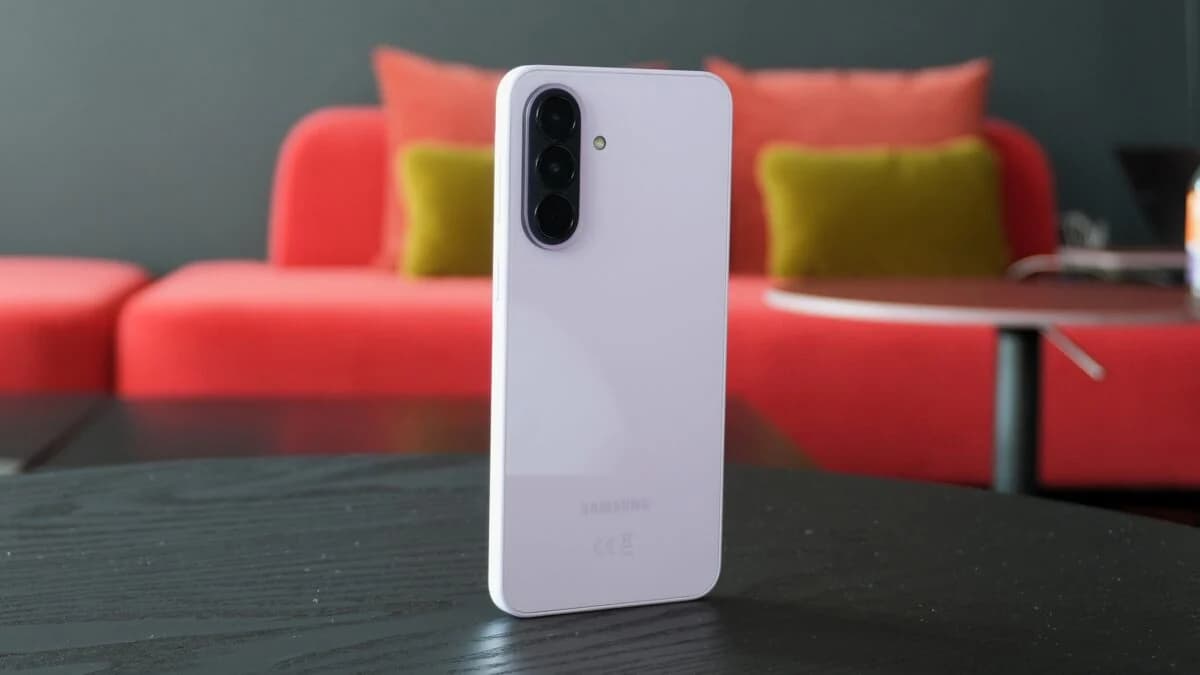
OnePlus 15 begins receiving stable Color OS 17 update ahead of schedule
OSOct 27, 2026

OnePlus 15 begins receiving stable Color OS 17 update ahead of schedule

OnePlus has begun rolling out the stable Color OS 17 update for the OnePlus 15 and OnePlus Pad 4 ahead of the planned October 29 launch date.
By Cristian Penisoara
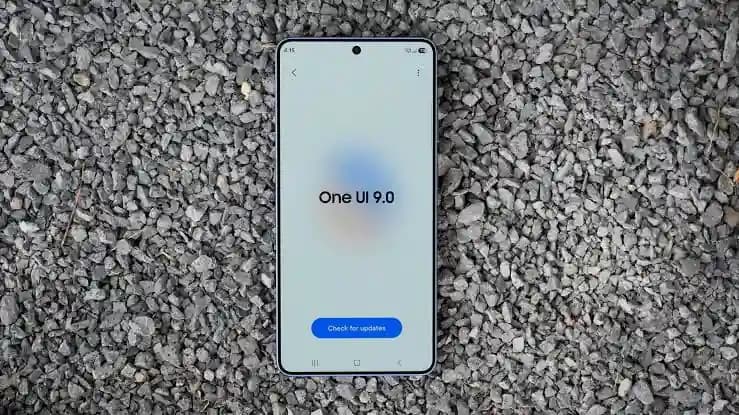
Samsung Rolls Out Galaxy A37 One UI 9 Update in the US
OSOct 27, 2026

Samsung Rolls Out Galaxy A37 One UI 9 Update in the US

Samsung is releasing the Galaxy A37 One UI 9 update in the US for locked and unlocked units without the October 2026 security patch.
By Robert Haba
samsung one ui 9 stable update rollout
OSOct 25, 2026

Samsung expands One UI 9 stable update to Galaxy S23, foldables, and A-series

Samsung is rolling out the One UI 9 stable update to Galaxy S23 phones, foldables, and select A-series models as regional releases arrive in stages.

By Luiza Mosneagu
Next in queue

Read the next article

The next story loads as you reach the end. You can also load it using the button.

Comments & Discussions

Join the conversation! We use Disqus to handle comments. Click the button below to load the comment section.